Mapping Component Props
Once you've created your props, the next step is to map them to the elements they control. Mapping is how you connect a prop to a specific part of your component so that it actually does something.
There are two methods for mapping props: visual mapping (fastest) and copy & paste (for attributes and code).
Method 1: Visual Mapping (Target Icon)
The easiest way to map a prop is to use the target icon in the component editor.
- Find the prop you want to map in the component editor panel
- Click the target icon next to the prop
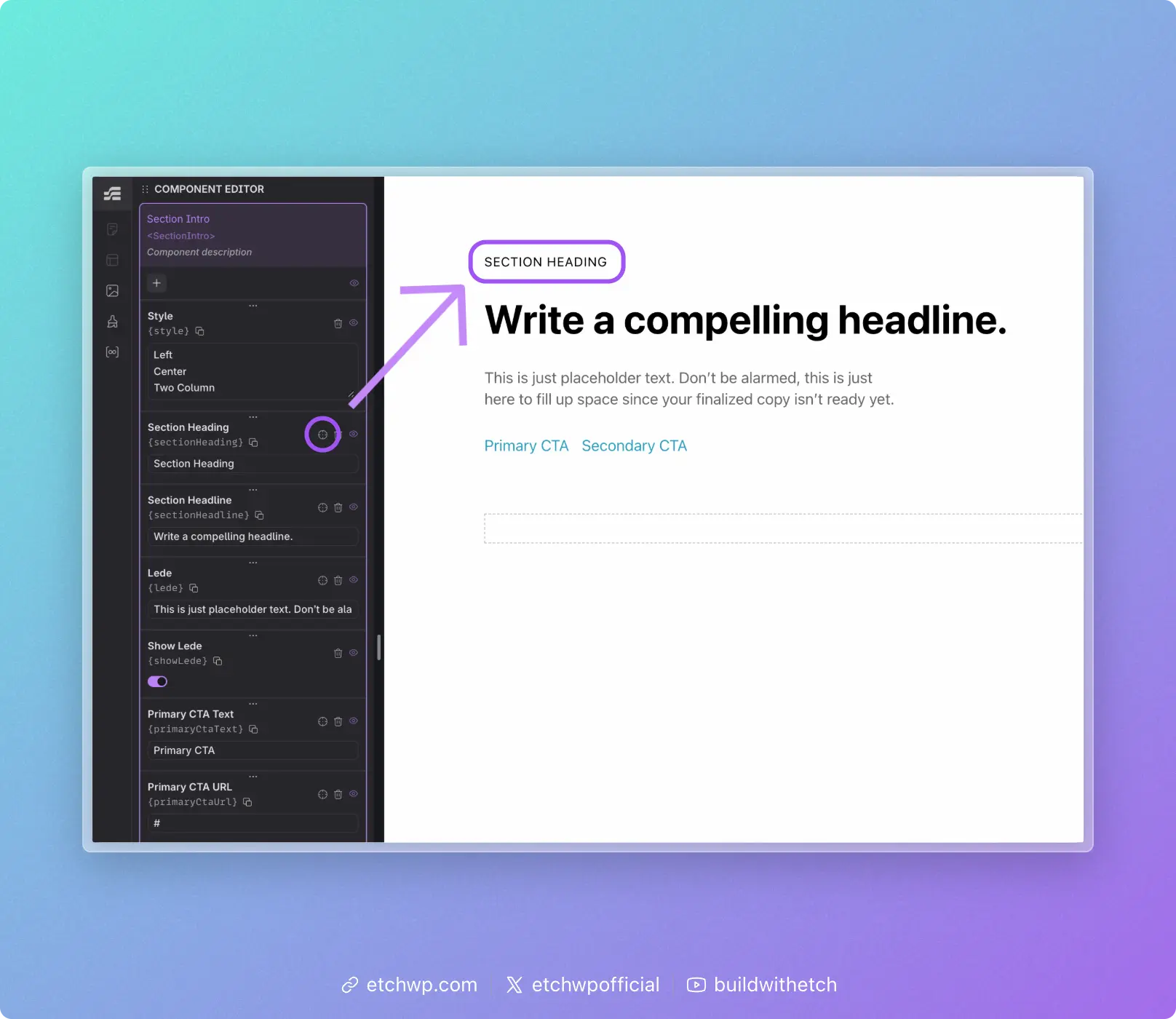
- Click the element on the canvas that this prop should map to
The element's text content will be replaced with the prop reference (e.g., {props.serviceName}). You'll see this reflected immediately on the canvas.
This method works for anything that's visible and clickable on the canvas — text, headings, paragraphs, buttons, links, etc.
Method 2: Copy & Paste
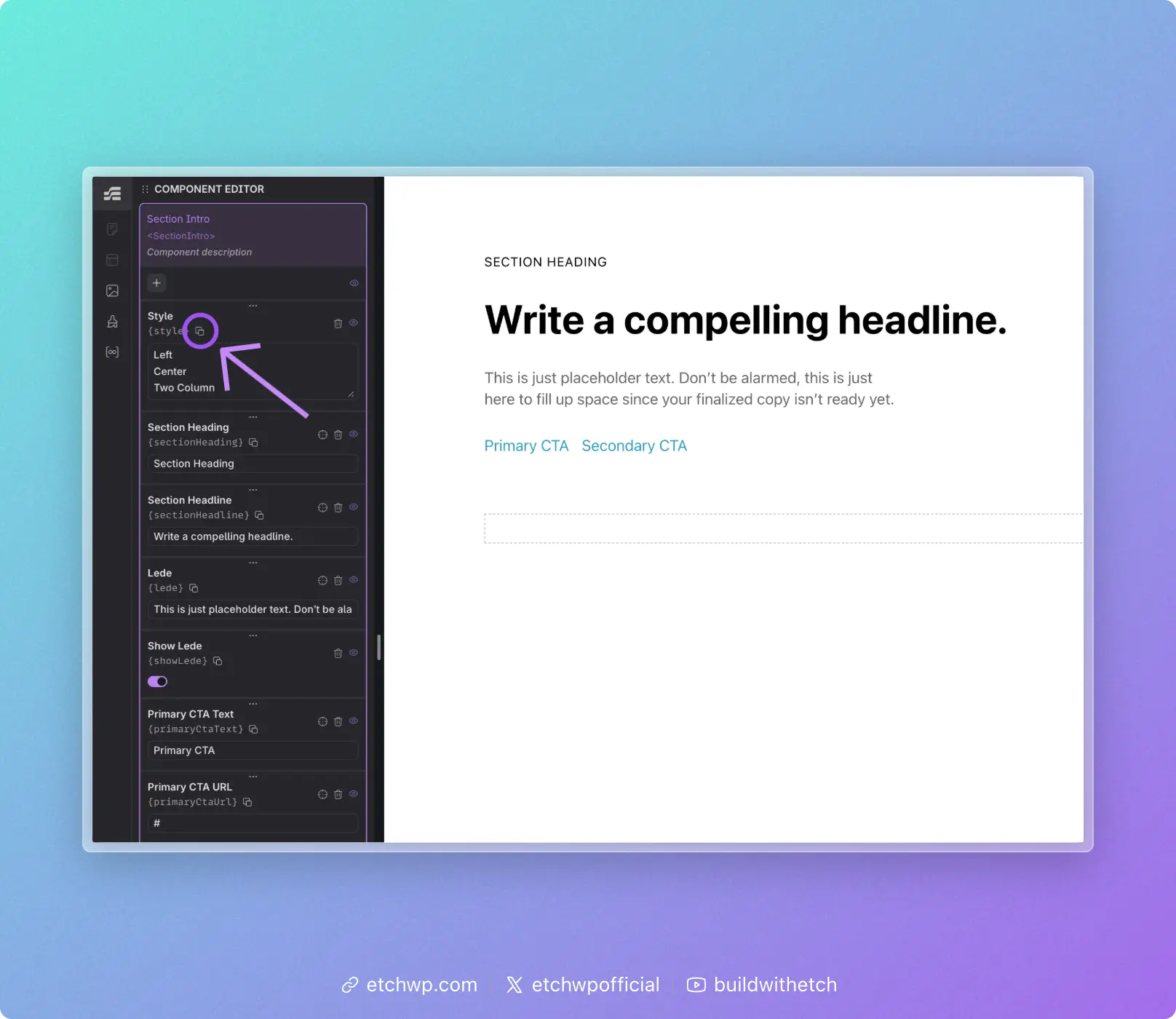
Some parts of a component can't be clicked on the canvas — things like href, src, alt, or custom attributes. For these, use the copy & paste method.
- Click the copy icon next to the prop in the component editor
- This copies the prop key to your clipboard (e.g.,
props.serviceName) - Paste it into the appropriate place — either in the HTML editor or the attribute inputs panel
When to Use Braces
When you paste a prop key, you may or may not need to wrap it in curly braces {}. The rule is simple:
Already inside braces? Don't add more. If you're writing inside an existing expression like {#loop ...} or {#if ...}, just use the key as-is.
Not inside braces? Wrap it in curly braces to create an expression: {props.propName}.
Examples:
A text element displaying a prop value (not inside any braces):
{props.heading}
A loop referencing a prop for its data source (already inside braces):
{#loop props.items as item}
A conditional checking a boolean prop (already inside braces):
{#if props.isFeatured}
An attribute value (not inside any braces):
href="{props.linkUrl}"
Coming Soon
In the future, Etch will include auto-suggest when mapping props, making the process even faster and more intuitive.
Next Steps
Now that your props are mapped, you're ready to use your component: